Training records
What this is
Training records track whether your team has acknowledged your firm's AI policy. The RICS AI Standard expects firms to demonstrate that staff understand the rules around AI use.
When you'd use it
Publish a new training requirement whenever your AI policy is updated, and check the page periodically to chase any outstanding acknowledgements.
Walkthrough
- Click Training in the sidebar under Governance.
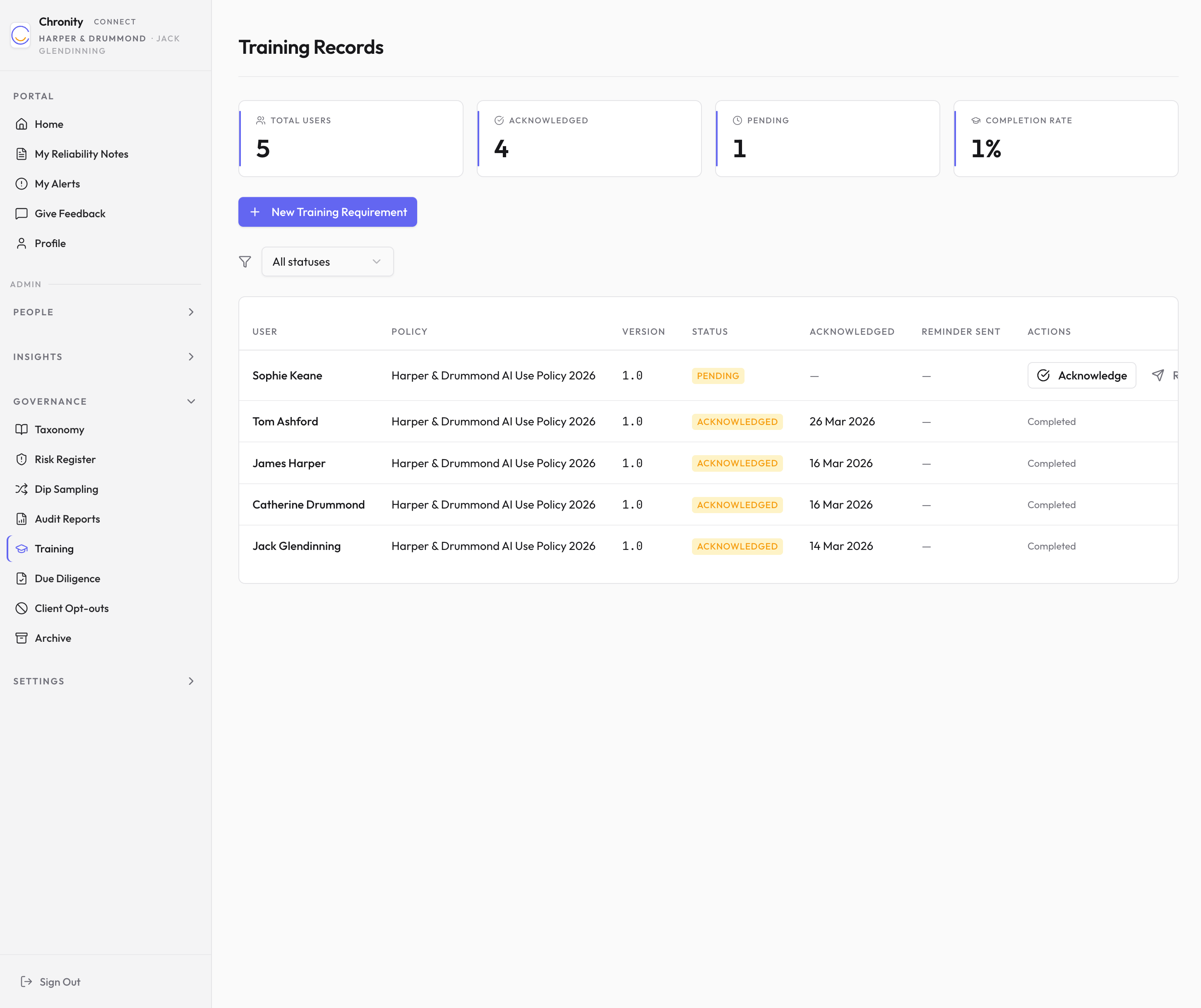
- Four stat cards show: Total Users, Acknowledged, Pending, and Completion Rate.
Creating a training requirement
- Click New Training Requirement.
- Enter a Policy Version (e.g. "v2.0") and Policy Name (e.g. "AI Acceptable Use Policy 2026").
- Click Create. This creates a pending acknowledgement for every user.
Managing acknowledgements
- The table shows each user's acknowledgement status.
- Filter by status (All, Pending, Acknowledged).
- For users who haven't yet acknowledged:
- Click Remind to send them an email reminder.
- Click Acknowledge if you need to record their acknowledgement manually (e.g. if they confirmed in person).
Things to know
- Users are prompted to acknowledge new policy versions on their next sign-in.
- Each acknowledgement is recorded with a timestamp and becomes part of your audit trail.