Dip sampling
What this is
Dip sampling is an automated quality-assurance process for Track 2 observations (routine professional workflow). Each quarter, Chronity Connect randomly selects a sample of Track 2 observations for manual review — ensuring that routine AI use is being handled properly even when individual sign-off isn't required.
When you'd use it
Review the dip-sampling results each quarter as part of your governance routine. If you haven't generated a batch yet, you can create one manually.
Walkthrough
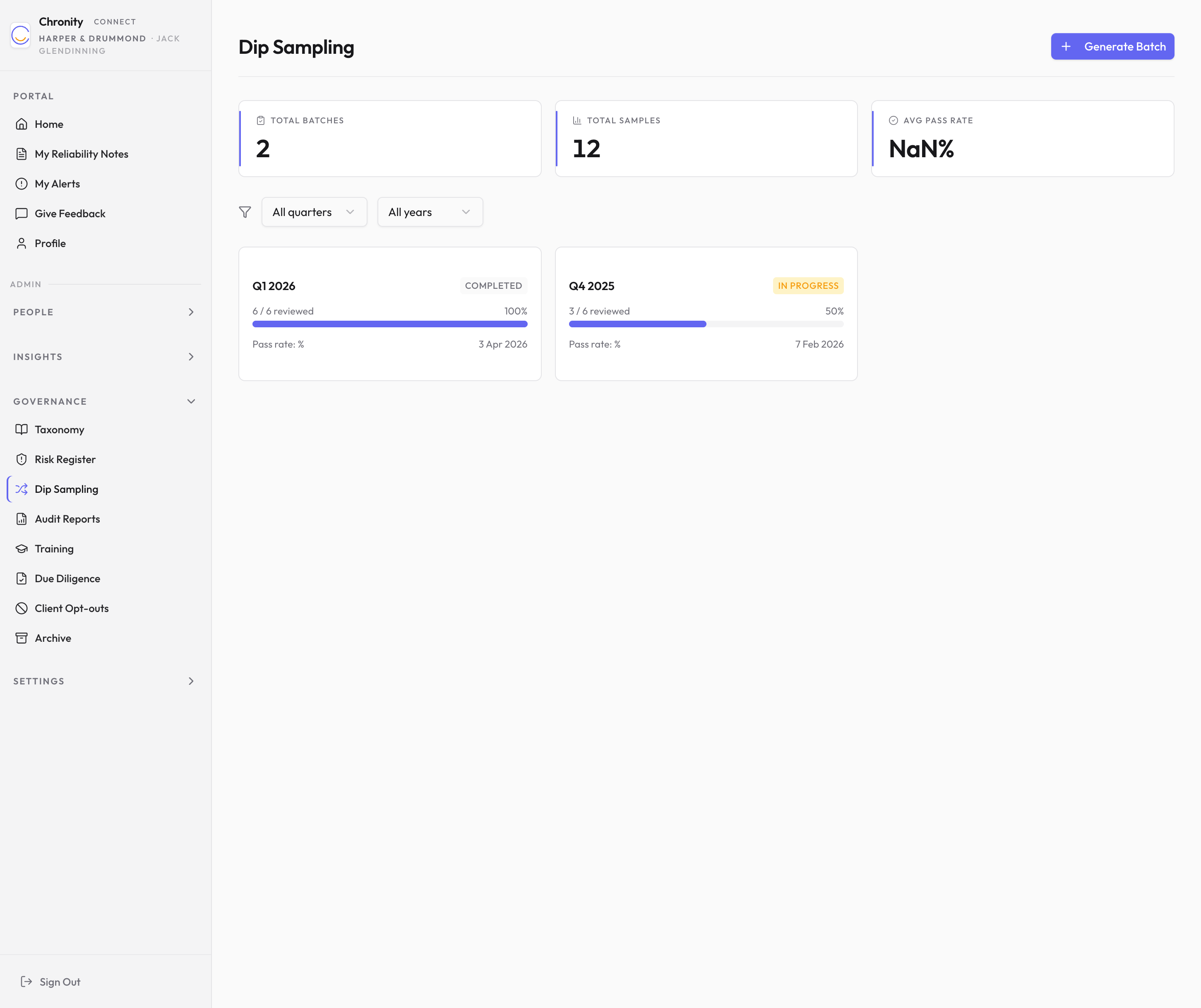
- Click Dip Sampling in the sidebar under Governance.
-
Three stat cards show: Total Batches, Total Samples, and Avg Pass Rate.
-
Use the quarter and year filters to find specific batches.
-
Each batch appears as a card showing the quarter, status, progress (what percentage of samples have been reviewed), pass rate, and creation date.
-
Click a batch card to see the individual samples within it.
Reviewing a sample
- In the batch detail view, click a sample to open it.
- You'll see the original observation: which tool was used, who used it, the sensitivity level, and a summary of what the AI did.
- Choose an outcome: Pass (the AI was used appropriately), Fail (there's an issue), or Flag (needs further investigation).
- Optionally add review notes.
- Click Submit.
Generating a batch
Click Generate Batch (top right) to create a new dip-sampling batch. The system will randomly select observations from the current quarter's Track 2 pool.
Things to know
- Sample selection is cryptographically random — the audit trail records which observations were eligible and which were picked, so the randomness is defensible.
- A batch typically contains between 10 and 50 samples depending on the volume of Track 2 activity.
- Fails and flags should be reviewed with the team member involved as part of ongoing improvement.