Risk register
What this is
Each quarter, Chronity Connect auto-drafts a risk register summarising your firm's AI activity — observation patterns, new tools detected, any gaps in your MIA coverage, alert trends, and recommendations. Your AI Lead reviews the draft, adds qualitative commentary, and signs it. The signed version becomes your official quarterly record.
When you'd use it
At the start of each quarter, review and sign the previous quarter's register. This satisfies the RICS requirement for ongoing risk assessment.
Walkthrough
- Click Risk Register in the sidebar under Governance.
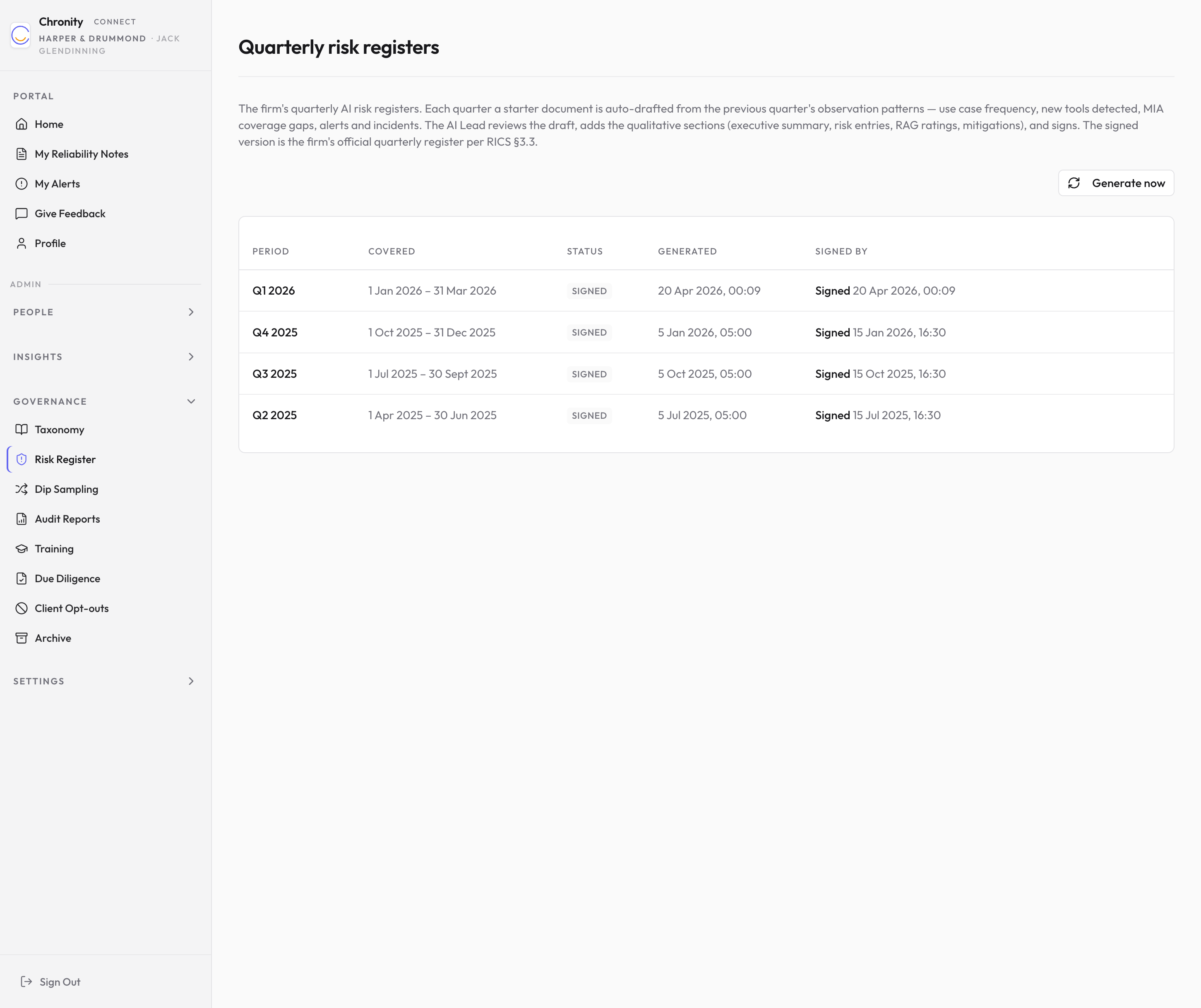
- The table lists each quarterly register:
| Column | What it shows |
|---|---|
| Period | The quarter (e.g. "Q1 2026"). |
| Covered | The date range covered (e.g. "1 Jan 2026 – 31 Mar 2026"). |
| Status | Draft or Signed. |
| Generated | When the auto-draft was created. |
| Signed By | Who signed it and when (if applicable). |
- Click any row to open the register.
Editing and signing a register
- Draft registers open in a split-pane editor: the left side is a text editor where you write or edit the content, and the right side shows a live preview of the formatted document.
- Edit the draft to add your firm's commentary, risk ratings, and mitigations.
- Click Save draft to save your changes.
- Click Reset to original draft if you want to discard your edits and start from the auto-generated text.
- When you're satisfied, click Sign register. You'll be asked to confirm — once signed, the register becomes read-only.
- Signed registers display as a formatted, read-only document.
Tip
You can also click Generate now on the list page to create a new draft on demand, rather than waiting for the quarterly automatic generation.
Things to know
- The draft is a starting point, not the finished article. The whole point of signing is that a named AI Lead has read the auto-drafted data, added the qualitative judgement only they can provide, and put their name to it.
- Signed registers are retained indefinitely as part of your audit trail.